Hi, there is a question from one MS PROJECT user:
“Hi! In the MS PROJECT 2013, is it possible to have the critical path displayed in the timeline View?”
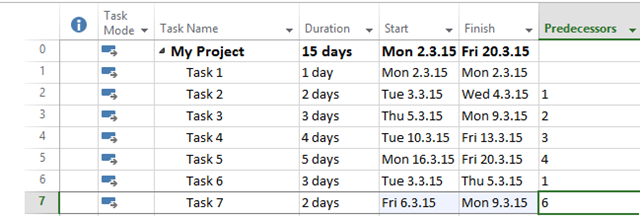
This Post will be short, because it is easy to do it. Firs I will create new Project:
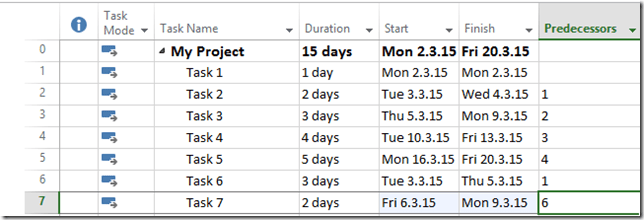
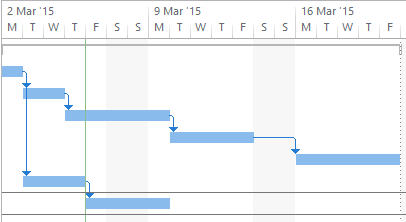
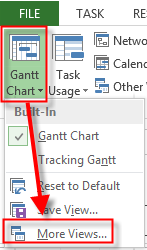
and in graphical part of the Gantt Chart:
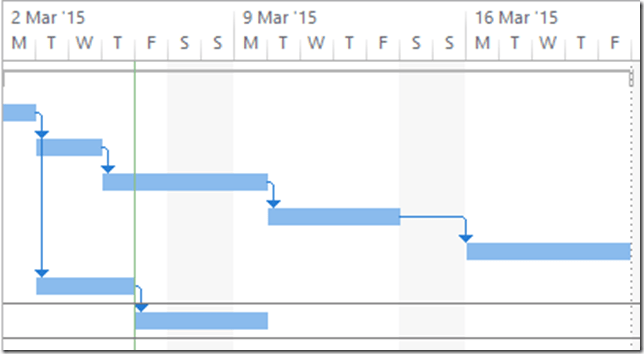
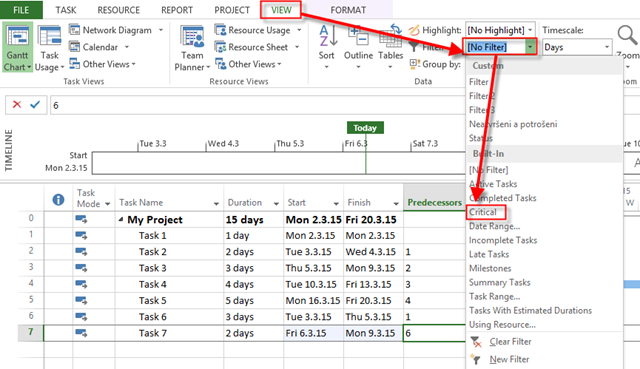
Now I will show a Critical Path:
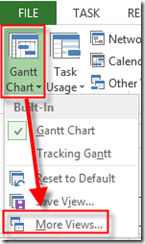
and then:
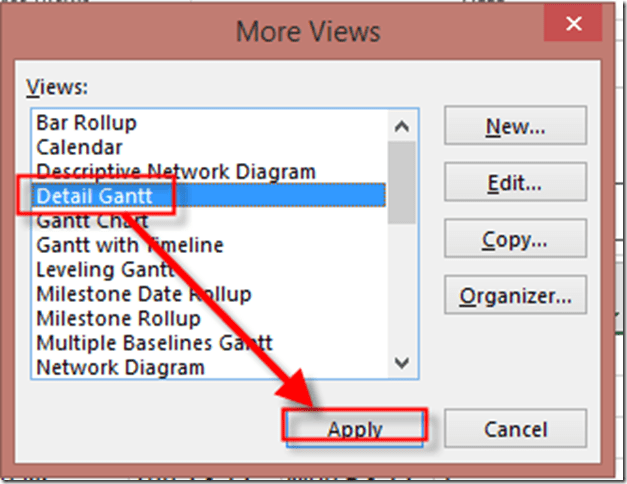
and I will get:

Notice that Critical Path is Path on which if any Activity is Late, the whole Project will be late!
Now I’m going to filter onbly Critical Tasks:
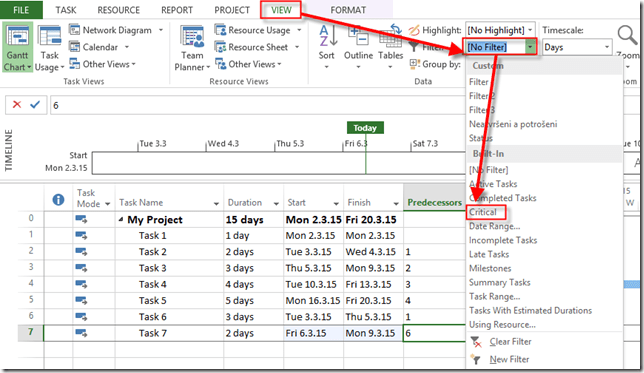
and I will get:

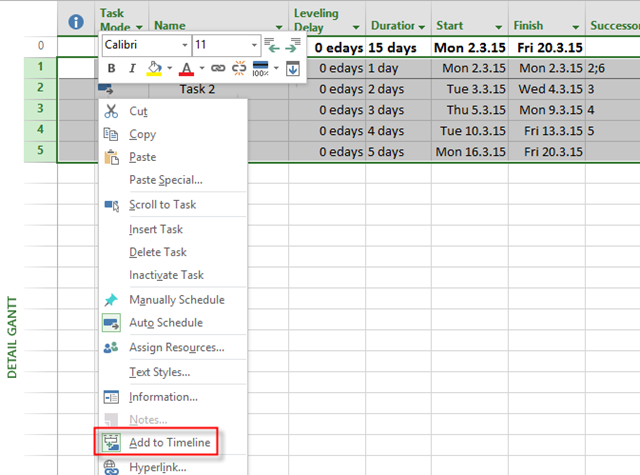
No I will Select all Tasks, right click and:
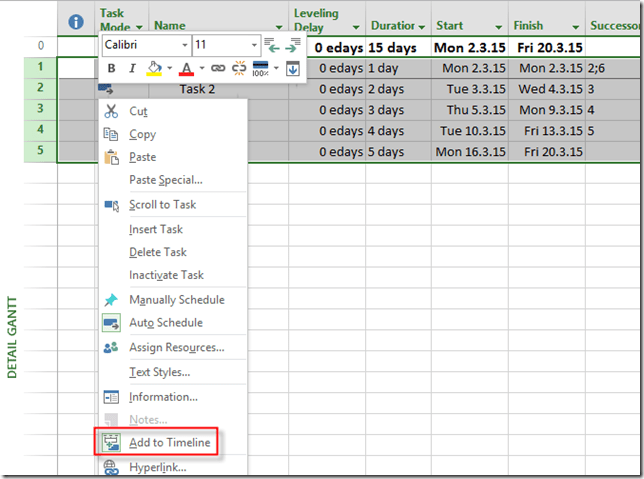
and I will get:

Critical Task are now on the Timeline View. Notice that if you add or change some Tasks on the Critical Path that will be automatically reflected on the Timeline View. On the other hand, If you add new Task in Critical Path, it will not be at the Timeline View automatically. And, do not forget to turn your filter off 🙂
Regards,
Nenad

About Nenad Trajkovski
Location: Zagreb, Croatia
Occupation: Project Manager
Interests: Project Management and MS PROJECT
He was born in Zagreb, Croatia at 1963. After completing his college he started working on projects in different business areas (banking, manufacturing, automotive industry, distribution, oil companies, etc.) developing and implementing ERP systems into different companies. He has got a lot of experience working with people in different business processes and also possesses great knowledge in information technologies and financial services. Today he works as a business consultant, adn Project Manager in PERPETUUM MOBILE d.o.o. Zagreb. He is a regular lecturer for Project Management in MS Innovation Center in Varaždin, Logosoft Sarajevo in Bosnia and Herzegovina and SEAVUS GROUP in Skopje Macedonia. He was named the best lecturer of WINDAYS 2008 while his lecture was also voted as the best. In addition, he was in TOP 10 lecturers at the MS SINERGY 2009 and MS VISIA 2009, 2010. Shares first place as the best lecturer of KulenDays 2009 and 2010 and PMI Conference 2009 in Zagreb. He is also a regular lecturer in the MS Community. He is a Certified Accountant and a PMP (Project Manager Professional) and a PMI-RMP (Risk Manager Professional), MCP, MCT, and Microsoft Certified Technical Specialist - Microsoft Project 2010. From 01.01.2012 awarded with MVP (Microsoft Most Valuable Proffesional - Microsoft Project)!






Hello Nemad. I had this option set to less than or equal to 1, but I also had Calculate multiple critical paths checked. This was causing my issue. Thanks alot for your help!
Well, I do not know what is an issue here!
Hello Nemad. I am using Project 2010. I have the exact same setup as your example but when I filter the critical tasks, Project tells me that ALL my tasks are critical. Why?
Hello Nemad, me again. I have uploaded a video of the issue for more clarification. I hope you can help me, thanks! http://youtu.be/8VzJNHNdqcw
Please check out Option: “Task are critical if slack is less then or equal to:” It is located in MS PROJECT 2013 in File-Options- Advanced ion bottom of the scerrn. In this option it should be 0!