
Hi,
today I will show you what happens if you change Resource Calendar AFTER Task is in progress with MS PROJECT 2019.
First I will create two simple Tasks:

and two Resources:
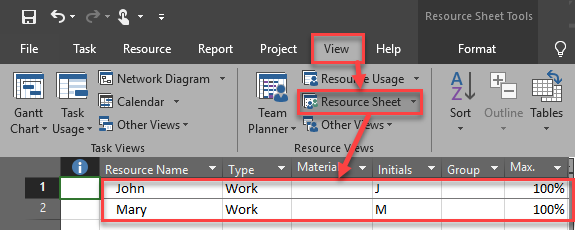
Now I will assign John to Task 1, and Mary to Task 2:

Finally, I will put 100% Completed for Task 1, and 50% Completed for Task 2:
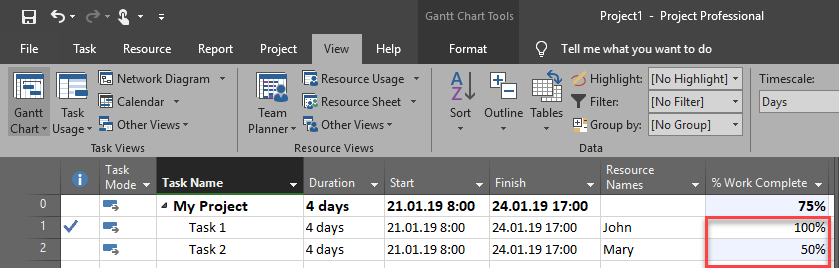
Now, let’s say that I forgot that John and Mary are on education from Wednesday 21.01.2019 to Friday 25.01.2019, and they are not available for my Project:
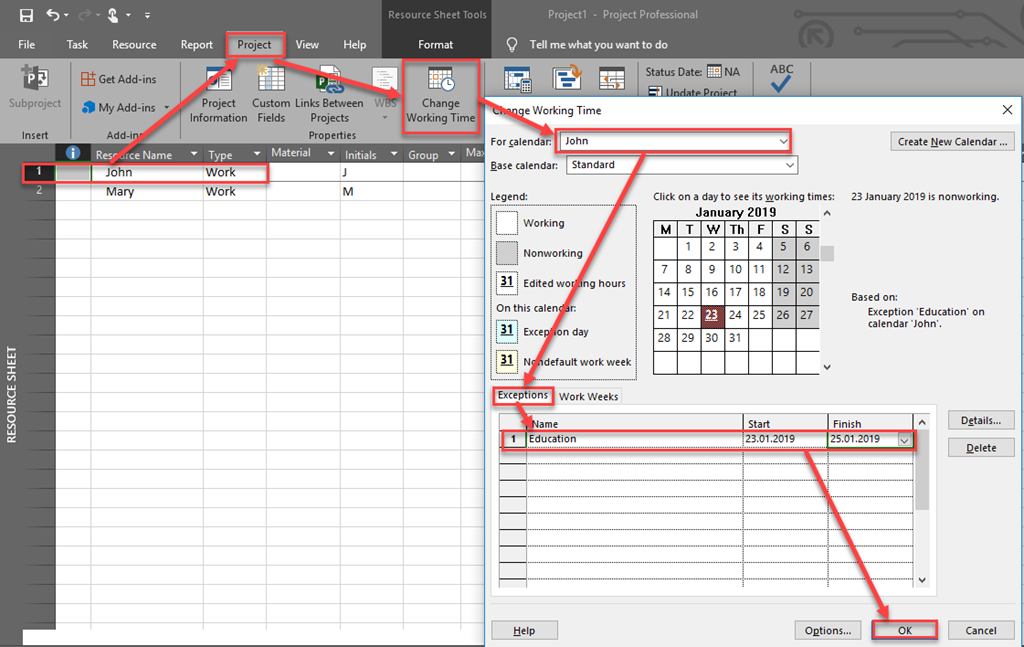
When I do same thing for Mary, finally I will get:
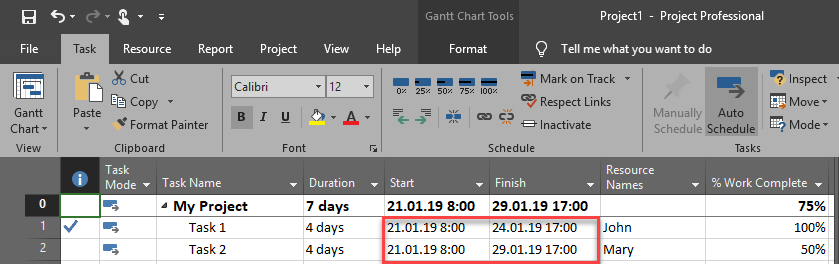
As you can see, nothing has been changed for John, and Mary the Finish date is postponed to Tuesday 29.01.2019. Now, the question is: “Why the Task for John didn’t move as it did for Mary?”. And the answer is very simple: “Because it is marked as Done!” In MS PROJECT if Task is done (or just a part of it), you can change Calendar as you want but those dates (periods) in which Task is done will not be affected. If, for example, I put Education exception from 21.01.2019 to 24.01.2019 (the whole period), the result will be the same, e.g. since Task 1 is completed nothing will be changed, and Since Task 2 is only 50% complete (work is done at Monday and Tuesday), only remaining part will be affected. If you forgot to put Exception before Task is completed you should first mark this Task as 0% completed, then change the Calendar, and then mark it completed.
Regards.






























 Nenad Trajkovski