Hi,
in my last Post I have explained how to use custom fields in MS PROJECT 2010. One of custom field type is Outline Code. Suppose that you have resources group by skills like this:
- Developers (101 – C# Developer, 102 – SQL Developer, 103 – SharePoint Developer)
- Consultants (201 – Finance Consultant, 202 – Fixed Assets Consultant, 203 – Production Consultant)
- Testers (301 – Database Tester, 302 – Application Tester, 303 – Report Tester)
- System Engineers (401 – MS SQL System Engineer, 402 – SharePoint System Engineer, 403 – BI System Engineer)
You want to assign one or more group of resources to each of your Resource.
I will create brand new Custom Field:
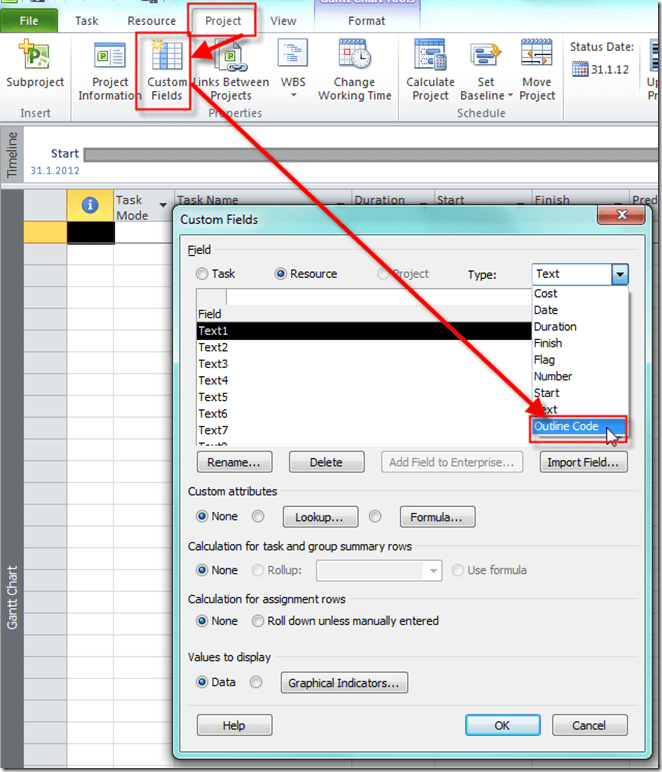
and I will get:
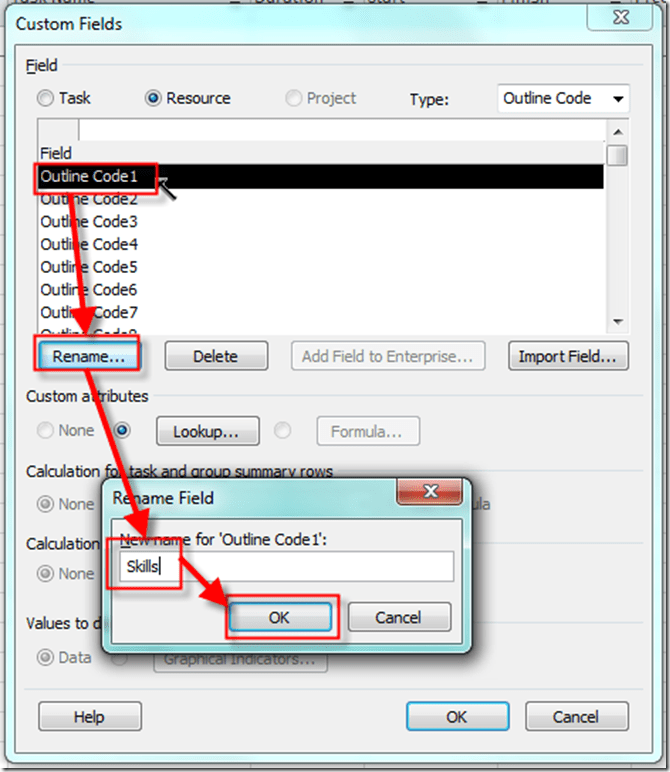
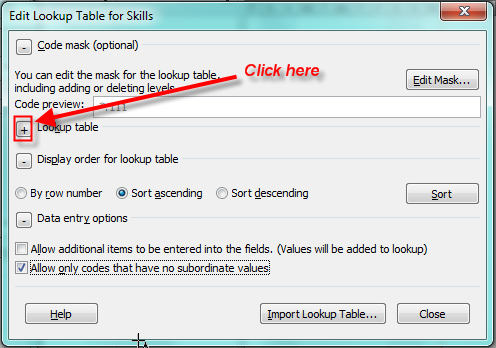
Now I have to define Code Mask:
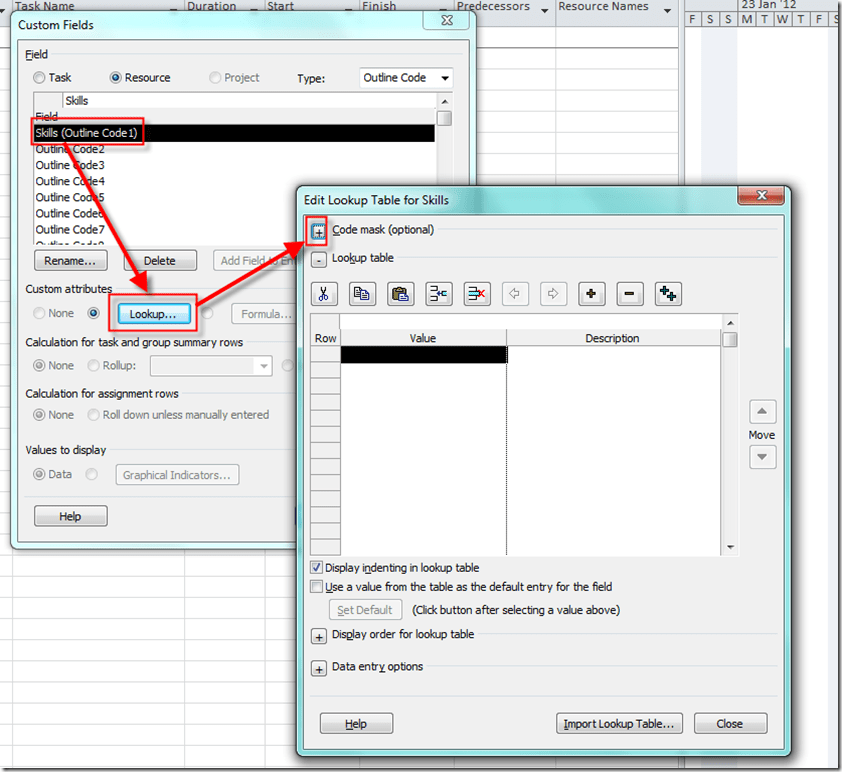
and I will get:
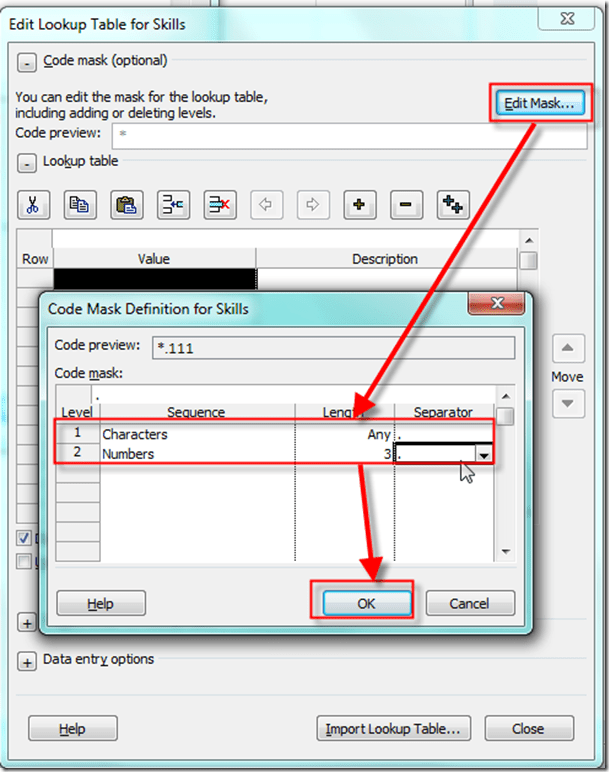
Notice that I choose to have two different levels: First is for Skill type (for example: Developers), and second for the Skill (for example : C# Developer)
I do not want that User adds any new Values for my Skills and I do not want to choose Skill type, but only specific Skill!
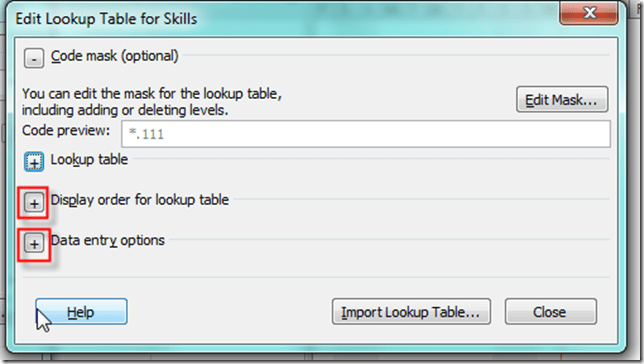
and I will get:
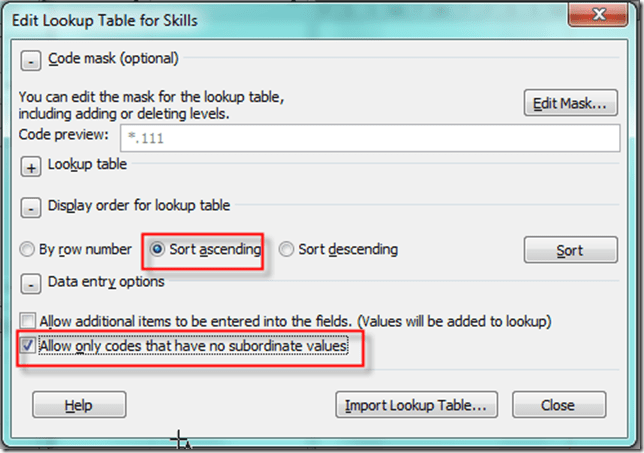
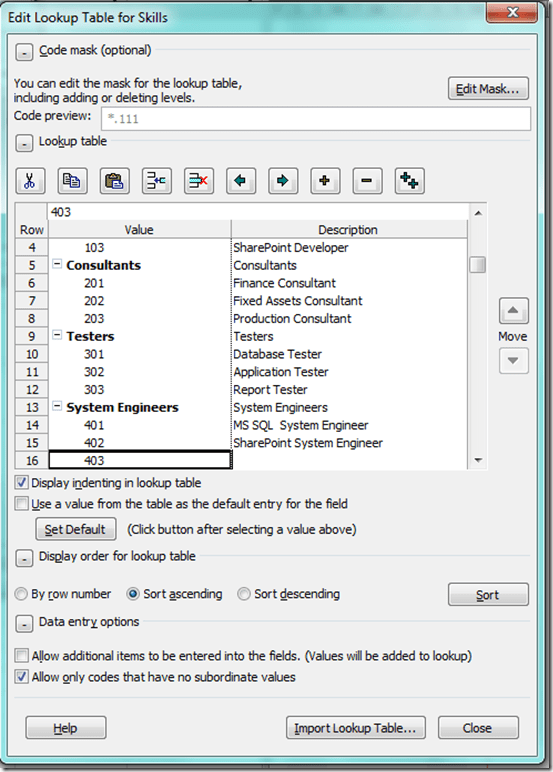
I choose to order data in Ascending way, and to allow only codes that have no subordinate values (e.g, only Skills). Now is the time to put Values for the Custom Code:
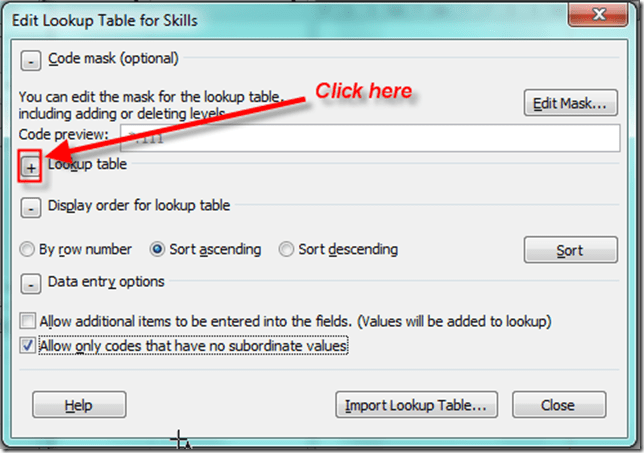
and I will get:
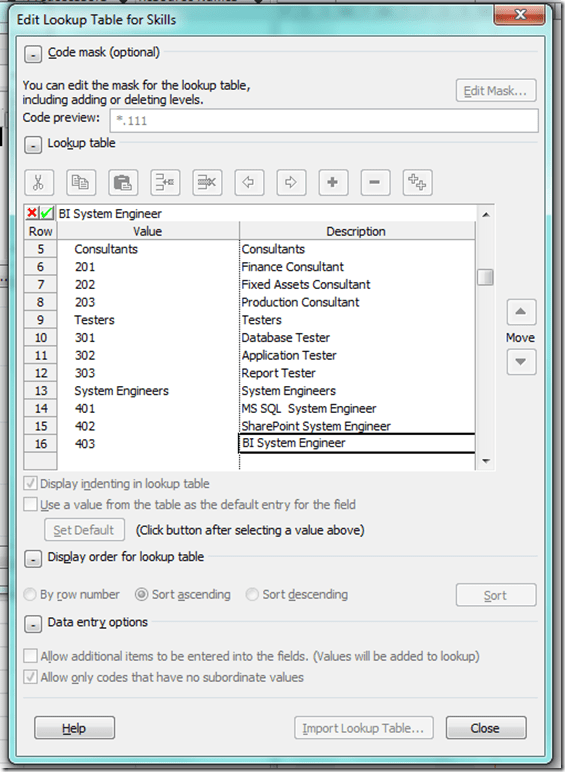
I will Outdent all rows with Skills (101,102,103,….,401,402,403):
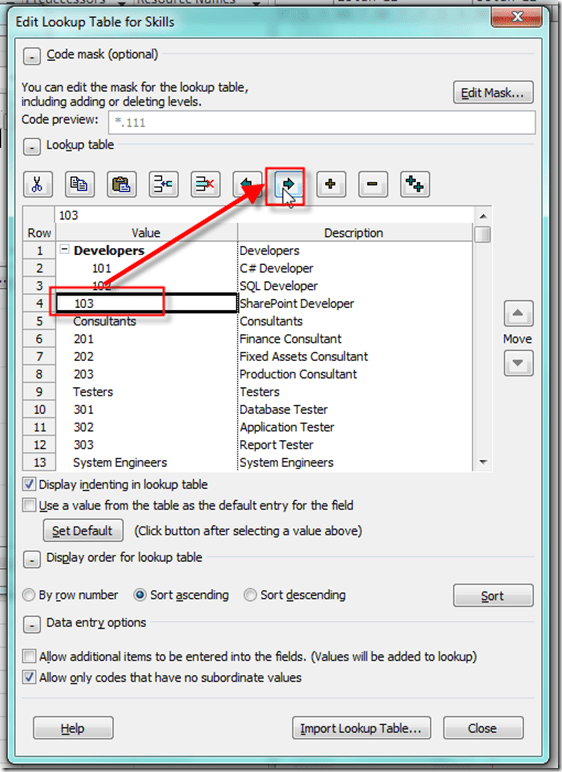
and, when I will finish I, will get:
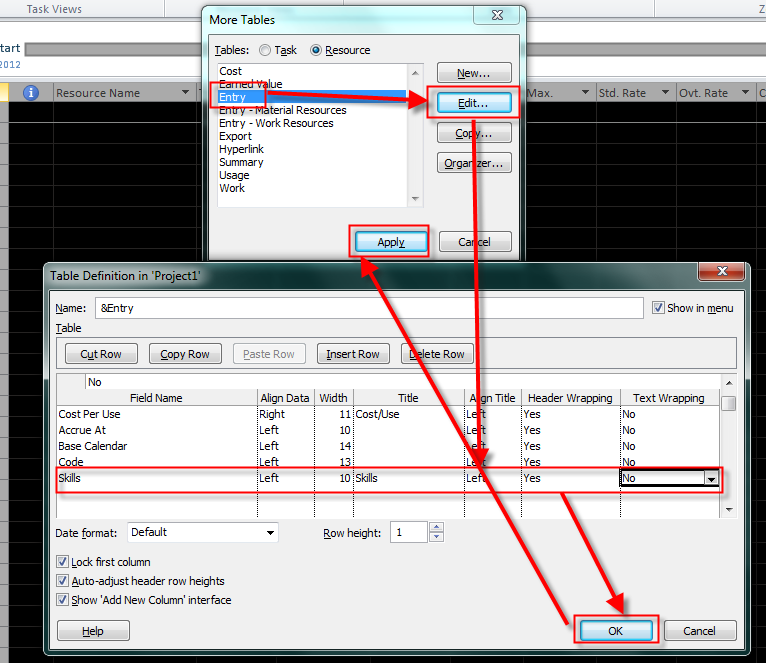
OK. I will now change Entry Table for Resources:
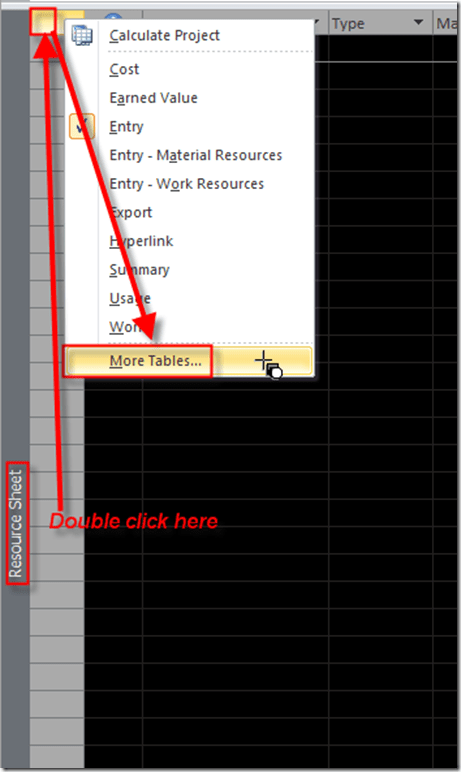
and then:
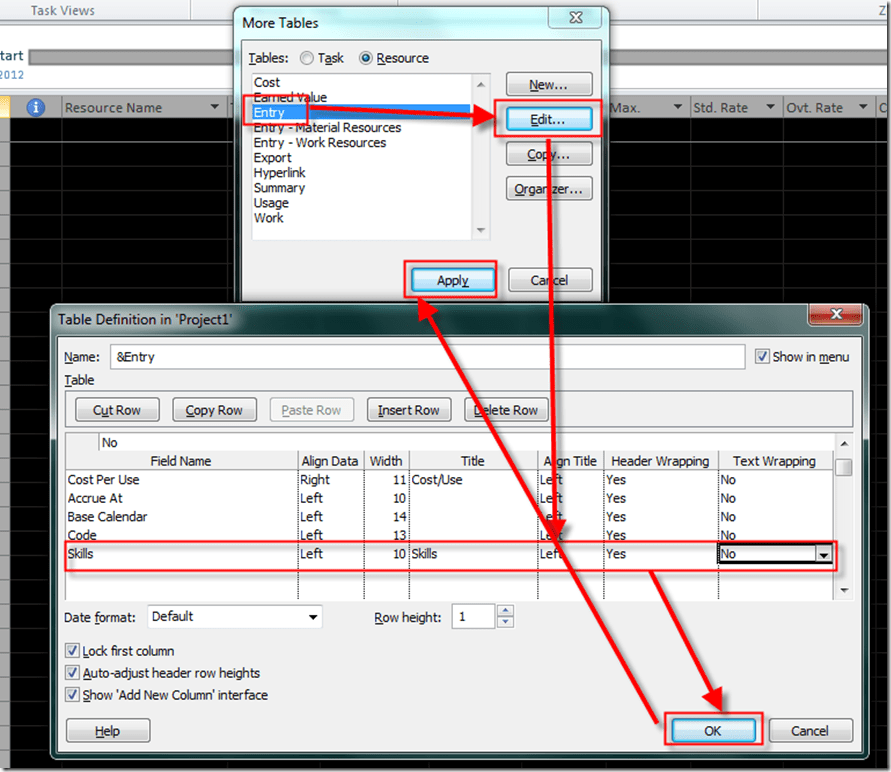
and I will get:

Now I will put a Resource in this Table:
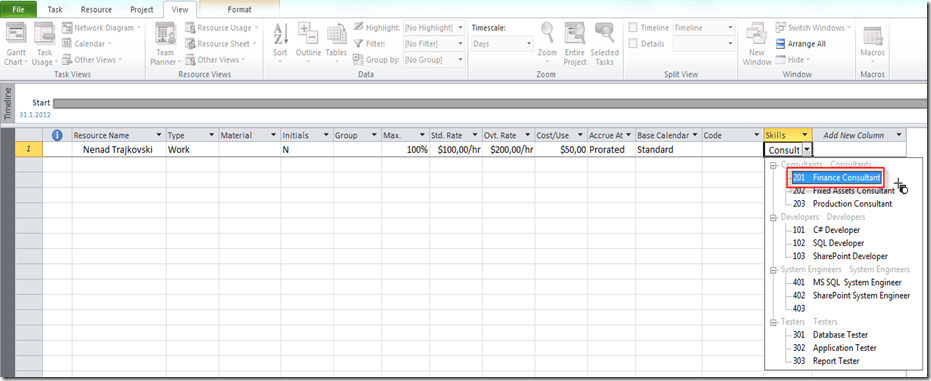
and that’s it!
Regards!

About Nenad Trajkovski
Location: Zagreb, Croatia
Occupation: Project Manager
Interests: Project Management and MS PROJECT
He was born in Zagreb, Croatia at 1963. After completing his college he started working on projects in different business areas (banking, manufacturing, automotive industry, distribution, oil companies, etc.) developing and implementing ERP systems into different companies. He has got a lot of experience working with people in different business processes and also possesses great knowledge in information technologies and financial services. Today he works as a business consultant, adn Project Manager in PERPETUUM MOBILE d.o.o. Zagreb. He is a regular lecturer for Project Management in MS Innovation Center in Varaždin, Logosoft Sarajevo in Bosnia and Herzegovina and SEAVUS GROUP in Skopje Macedonia. He was named the best lecturer of WINDAYS 2008 while his lecture was also voted as the best. In addition, he was in TOP 10 lecturers at the MS SINERGY 2009 and MS VISIA 2009, 2010. Shares first place as the best lecturer of KulenDays 2009 and 2010 and PMI Conference 2009 in Zagreb. He is also a regular lecturer in the MS Community. He is a Certified Accountant and a PMP (Project Manager Professional) and a PMI-RMP (Risk Manager Professional), MCP, MCT, and Microsoft Certified Technical Specialist - Microsoft Project 2010. From 01.01.2012 awarded with MVP (Microsoft Most Valuable Proffesional - Microsoft Project)!






 Nenad Trajkovski
This is great! The visuals make it is easy for anyone to follow.
Thanks.
Pingback: how to enter information to outline code column
I couldn’t resist commenting. Exceptionally well written!
Hi Nenand,
Thanks for this valuable post, I would like to use formula or roll up as sum for group summary tasks but this option is inactive. Is there nay way to active this option?
Warm Regards,
Amir Ahmadi
What kind of custom field are you using?
Outline codes
Nope! That is imposible with outline code!