
Hi,
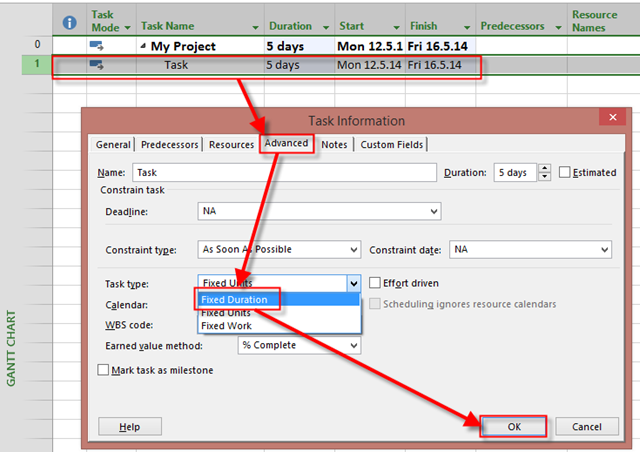
Today I’ll show you something that looks like a bug but it is not. Suppose that you have a Task with 5 days duration, and the Task Type is Fixed duration. I’ll do that Scenario in MS PROJECT 2013!
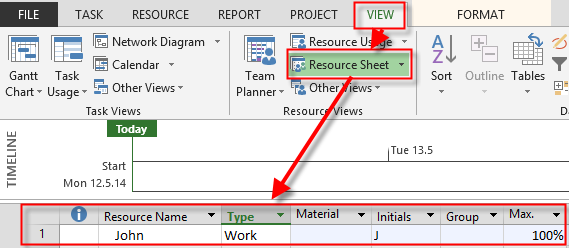
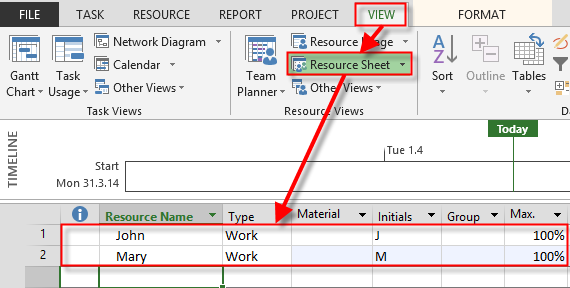
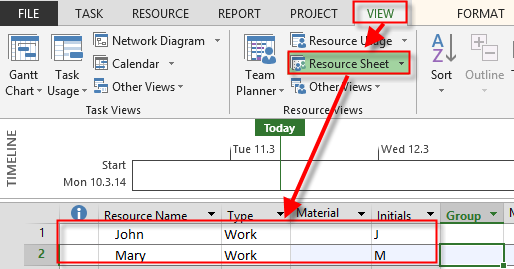
I will now Create John as Resource:
and I will assign John to the Task:

I will switch to the Task Usage View:

The Magic Formula is Work = Duration * Units, so Work is 5 days (8 hours per day in my Case) * 100% (John is assigned 100% to the Task) = 40 hours!
Now suppose that John has worked 16 hours on that Task, and he is done! The Task is Finished! So Remaining work is zero hours:
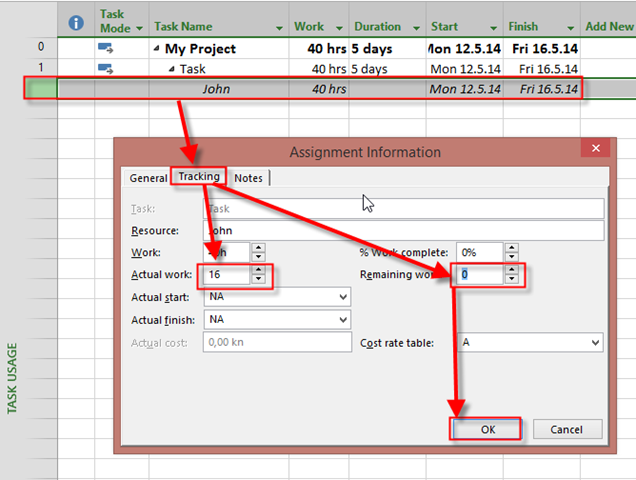
I’ll get:

As you can see, duration is unchanged, because it is Fixed. It is not a Bug! Let’s see Gantt Chart:

And what about % Completed:
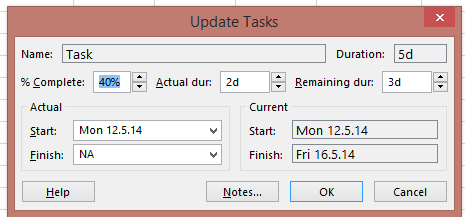
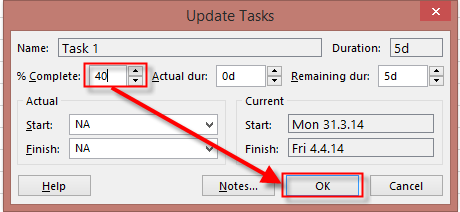
As you can see Task is only 40% Completed, because it has Fixe Duration. It seems odd? I know what are you going to tell! If there is no work Remaining, it should be 100% Completed. So, mark it as 100% completed:
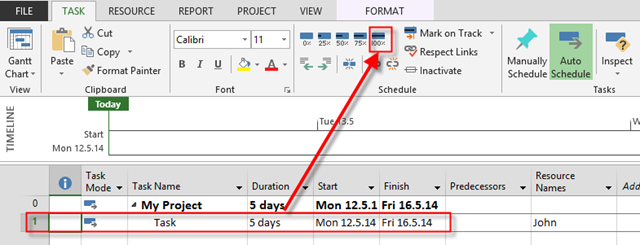
and you will get:

and in the Task Usage View:

You don’t like this? You want Duration to be 2 days? Change The Task type to, for example, Fixed Units here:
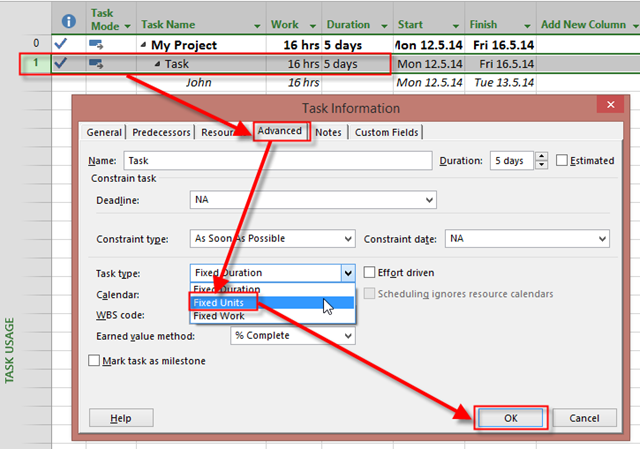
And everything looks fine now:

If you want Finish date to be Tue, 12.05.2014, than change Task Type before you put actual and remaining work, and the Task will be 100% Finished when you enter Actual work = 16 hours, and remaining work = 0 hours.
Regards



















































 Nenad Trajkovski